App comparison
Best NoFap Apps Compared: QUITTR, Brainbuddy or Transform?
Looking for the best NoFap app? Compare QUITTR, Brainbuddy, Fortify, Covenant Eyes and Transform for tracking, porn blocking, urge tools, community and privacy.
Prepared by Transform · Published · Updated
We make Transform. This comparison uses public product descriptions, not a full test of every paid plan. Features, availability and pricing can change; check the official listing before downloading or paying.
Short answer For daily tracking, compare the timer and check-ins. If website blocking matters, compare the options for your phone. For peer support, look at QUITTR’s community or Covenant Eyes’ reports for a chosen ally. For private tracking, Transform keeps check-ins and journals on your device by default and offers Pro website and app protection.
Before choosing, check whether the plan covers the sites or apps you want to limit, who can see your records, and how to export or delete them. An unverified entry means we could not confirm it in the public materials.
NoFap tracker or quitporn app: what should a daily check-in record?
If you searched for a NoFap tracker, quit porn tracker or quitporn app, start with what you want to record. A timer shows elapsed time; a check-in records the day, and a journal adds context. Transform is independent and is not affiliated with or endorsed by NoFap, QuitPorn or other brands or communities.
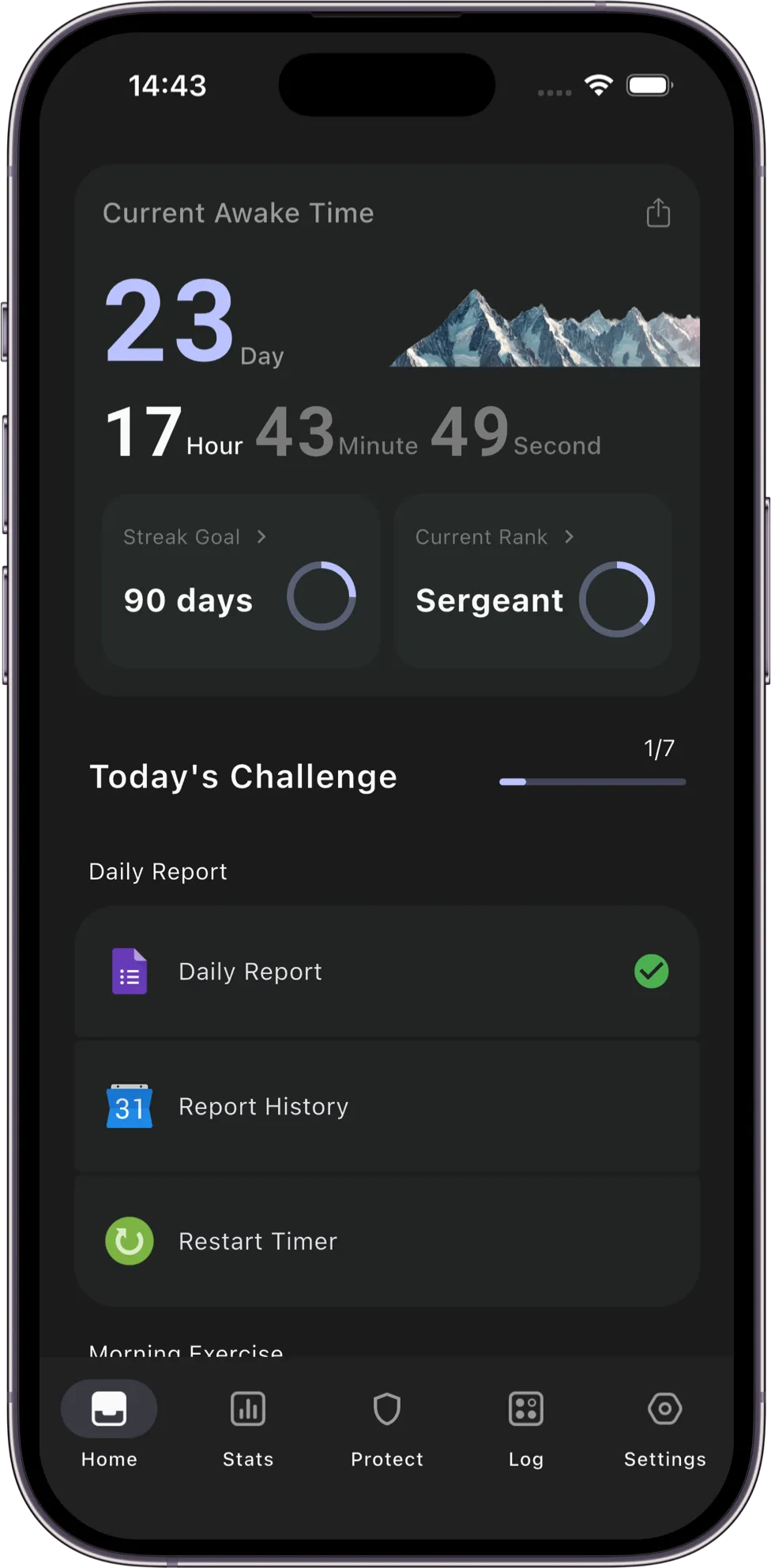
If you only want a NoFap tracker, check whether you can change the timer’s start date, fill in a missed check-in and keep previous entries when you restart. Transform includes these basics for free. Use the timer for elapsed time and the check-in for what happened that day.
- Define your goal in your own words, such as reducing porn use or keeping the phone out of bed.
- Record what happened, the situation before an urge, and one action you tried.
- Review patterns over several entries rather than judging yourself by a single count.
- After a setback, adjust one thing and keep the earlier records.
Decide what you need first
- A counter: check what counts toward a streak and whether you can edit a record.
- An urge tool: check whether there is a simple action you can start without a long setup.
- Blocking: check your operating system, the kind of limit and how to turn it off.
- Support from people: check what is shared, with whom, and whether you want that arrangement.
Side-by-side comparison
We checked available public descriptions on 7 November 2026. Fortify’s official site did not expose readable feature details. The table marks claims we could not confirm.
Sources describe what the publisher reports. They do not establish that we tested each feature or paid plan. The market applies to store listings; publisher sites do not confirm regional availability.
| App | Main approach | Blocking | In-the-moment support | People involved | Where records live |
|---|---|---|---|---|---|
| QUITTR | All-in-one program | Content blocker and browser extension (per its site) | Panic button, AI chat companion | Community forum | See its privacy policy |
| Brainbuddy | CBT-style exercises | Porn blocker (per its site) | Craving control tools | Community, team challenges | See its privacy policy |
| Fortify | Current details not rechecked | Not verified in this review | Not verified in this review | Check the official listing | Check its privacy policy |
| Covenant Eyes | Accountability reports | Filtering options alongside reports | Not its focus | A partner you choose sees reports | Activity is shared with your partner by design |
| Transform | Self-help toolkit | Website and app protection on iPhone and Android (Pro) | 5-tool urge toolbox, breathing and meditation | Private by design (no public feed) | On your phone by default; optional iCloud or Google Drive sync requires Pro |
How to choose a quit porn app
Start with the need you identified above. Try the part you would actually use each day before committing to a longer plan.
- Blocking: does it cover both websites and triggering apps on your phone?
- Urge support: is there something concrete to do in the next five minutes, not just a day counter to stare at?
- Patterns: can you see the times, moods, and triggers that repeat, or only a streak number?
- Privacy vs. community: do you want a public forum, or would you rather keep your recovery private?
- Data control: where do your notes live, and can you export or delete them anytime?
QUITTR: the all-in-one option
QUITTR’s public site lists tools for difficult moments, blocking, lessons and a community. These may be worth exploring if you want several kinds of support in one place.
Check the current app listing for your platform and language, and read how it handles records, exports, deletion and community posts before entering personal information.
Brainbuddy: exercises and challenges
Brainbuddy describes structured exercises, tools for urges and group activities. If a guided routine appeals to you, look at how the exercises are presented before subscribing.
Fortify: education and community
Fortify has been described as an education and community program. Its current website did not provide readable details during this review, so check its official store listing directly if you are considering it.
Covenant Eyes: accountability reports
Covenant Eyes centers on sharing activity information with a person you choose. Before using that arrangement, agree on what is shared, how it will be discussed and how to stop sharing. Choose it only if the involvement feels supportive to you.
Where Transform fits best
Transform brings together a live timer, daily check-ins, breathing and meditation exercises, a 5-tool emergency toolbox, a trigger journal, and Pro website and app protection on both iPhone and Android.
Your check-ins and journal stay on your device by default. You can export encrypted backups for free anytime, or enable optional Cloud Sync to your own iCloud or Google Drive.
There is no public feed or built-in social network—making Transform ideal if you want a private, judgment-free toolkit on your phone.
Transform is free to download. The timer, daily check-ins, basic exercises, urge toolbox, journal and manual encrypted backups are free.
Website and app protection, automatic cloud sync, advanced analytics, smart reminders and custom daily tasks require Pro.
If you already have cloud data, you can restore it for free from the welcome screen on a phone on the same platform, even after Pro expires. Use a manual backup file to move between iPhone and Android.
Can you use more than one app?
You can combine tools, but start with as little setup as you need. Built-in Screen Time limits on iPhone or Digital Wellbeing timers on Android may cover part of the need. Check whether protection tools conflict before running several at once.
Frequently asked questions
Can an app block porn completely?
No. Content can appear through new sites, browsers inside other apps, messages or search results, and each operating system limits what one app can control. A blocker slows you down; it works best together with a plan for urges and a way to notice patterns.
Is there a free quit porn app?
A free download does not mean all tools are free. Check which features require payment and how renewal works. Built-in phone limits are another place to start.
Do quit porn apps keep my data private?
It varies. Check whether an app requires an account, where it stores journal entries and who can see them. Transform keeps check-ins, journals and trigger records on your phone by default, with optional sync to your own iCloud or Google Drive.
Can a quit porn app replace therapy?
No. Apps can offer self-help tools, but they do not replace professional care. If this is causing ongoing distress or disrupting daily life, consider qualified support.
Choose one need, check the relevant limits and data practices, and try the simplest useful option first. You can adjust your choice as you learn what fits.
Sources and further reading
- QUITTR: official website
- Brainbuddy: official website
- Fortify: official website
- Covenant Eyes: official website
- Apple Support: Block apps, app downloads, websites, and purchases on iPhone
This guide offers general self-help information. It is not medical advice, therapy, or crisis support.